
Software. Computer networks and databases
INTRODUCTION TO SOFTWARE
For as long as there has been computer hardware, there has also been computer software. But what is software? Software is just instructions written by a programmer which tells the computer what to do. Programmers are also known as 'software developers', or just plain 'developers'.
Nothing much is simple about software. Software programs can have millions of lines of code. If one line doesn't work, the whole program could break! Even the process of starting software goes by many different names in English. Perhaps the most correct technical term is 'execute', as in "the man executed the computer program." Be careful, because the term 'execute' also means (in another context) to put someone to death! Some other common verbs used to start a software program you will hear are 'run', 'launch, and even 'boot' (when the software in question is an operating system).

Software normally has both features and bugs. Hopefully more of the former than the latter! When software has a bug there are a few things that can happen. The program can crash and terminate with a confusing message. This is not good. End users do not like confusing error messages such as:
Site error: the file /home7/businfc6/public_html/blog/wordpress/wp-content/plugins/seo-blog/core.php requires the ionCube PHP Loader ioncube_loader_lin_5.2.so to be installed by the site administrator.
Sometimes when software stops responding you are forced to manually abort the program yourself by pressing some strange combination of keys such as ctrl-alt-delete.
Because of poor usability, documentation, and strange error messages, programming still seems very mysterious to most people. That's too bad, because it can be quite fun and rewarding to write software. To succeed, you just have to take everything in small steps, think very hard, and never give up.
I think everyone studying Information Technology should learn at least one programming language and write at least one program. Why? Programming forces you to think like a computer. This can be very rewarding when dealing with a wide range of IT-related issues from tech support to setting up PPC (pay-per-click) advertising campaigns for a client's web site. Also, as an IT professional, you will be dealing with programmers on a daily basis. Having some understanding of the work they do will help you get along with them better.

Software programs are normally written and compiled for certain hardware platforms. It is very important that the software is compatible with all the components of the computer. For instance, you cannot run software written for a Windows computer on a Macintosh computer or a Linux computer. Actually, you can, but you need to have special emulation software or a virtual machine installed. Even with this special software installed, it is still normally best to run a program on the kind of computer for which it was intended.
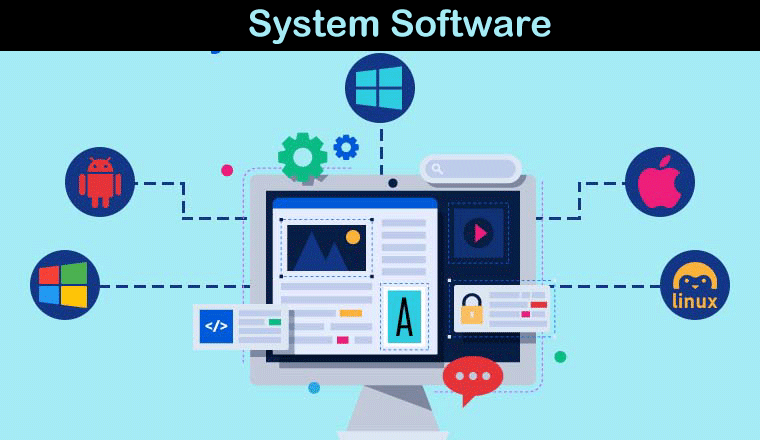
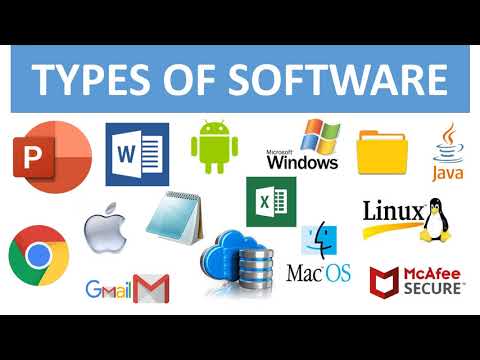
There are two basic kinds of software you need to learn about as an IT professional. The first is closed source or proprietary software, which you are not free to modify and improve. An example of this kind of software is Microsoft Windows or Adobe Photoshop. This software model is so popular that some people believe it's the only model there is. But there's a whole other world of software out there.
The other kind of software is called open source software, which is normally free to use and modify (with some restrictions of course). Examples of this type of software include most popular programming languages, operating systems such as Linux, and thousands of applications such as Mozilla Firefox and Open Office.
But what is the real difference between open source and closed source software? Is open source source software just about saving money? Let's investigate. Let's say for instance you find a bug in the latest version of Mozilla Firefox. The bug is causing a major project to fail and you need to fix it right away. This is not very likely to happen, I realize, but it's just an example. You might take the following steps:
Step 1. Download and unzip (or uncompress) the source code from Mozilla.
Step 2. Use an Integrated Development Environment (IDE) and a debugger to find and fix the bug in the source code. Please note that you will need to know a little C++ to debug applications such as this.
Step 3. Test the fix and then use a compiler to turn the source code into a binary file. This can take a long time for big programs. Once the source code is compiled then the program should work!
Step 4. You are almost done. Now send the bug fix back to the Mozilla Firefox team. They may even use your bug fix in the next release!
Now imagine you find a bug in a proprietary code base such as Microsoft Word. What can you do? Not much, just file a bug report and hope someone fixes it at some point.
This is a rather radical example, but I think it illustrates to a large degree why programmers generally prefer open source software to closed source alternatives. Good programmers love code and they want access to it. Hiding the code from a programmer is like hiding the car engine from an auto mechanic. We don't like it!
BASIC NETWORKING
In the simplest explanation, They do this by sending data packets using various protocols and transmission mediums such as ethernet cable or Wi-Fi connections. Computers must also know how to find other computers on the network. To put it briefly, every computer on the network needs a unique address so messages know where to go after they are sent.

Networks exist for many reasons including:
- distributed computing in a client-server or peer-to-peer networking architecture
- centralized data security and authentication
- elimination of risk of computer downtime.
- combining computers into a single domain to facilitate groupware applications and system administration tasks
- communication and fun!
The types of networks you deal with on a daily basis include local area networks (LANs) and wide area networks (WANs).
Many people today have LANs in their schools, offices, and even their homes. LANs are especially good for sharing Internet access and commonly used files and databases.
Users can also connect to wide area networks ( WANS ) as well, which are just large LANS spread out over several physical locations. The Internet itself is basically a large WAN, with each node on the network having it's own unique IP address.
As you may have read in books or seen in movies, security considerations play a large role when designing networks. Technology such as firewalls can both block and filter unwanted network traffic. Virtual private networks (VPNs) are used to connect remote users to office networks without jeopardizing security. VPNs use strong data encryption to hide data as it is moving between routers over the Internet.

Networking is not something you can master in a week or even a month. Hundreds of books have been written about the subject and many more hundreds will come in the future as technologies mature and evolve. If you work on networks for a living, you are called a network engineer, and you will probably take certification exams by networking companies such as Cisco.
There are other kinds of networking as well which are not always between PCs and servers. An example is Bluetooth technology, which is optimized for networking between common consumer electronics such as mobile phones, mp3 players, and similar devices.

DATABASES
The non-technical dictionary meaning of database is “a store of a large amount of information, especially in a form that can be handled by a computer”. A database is a collection or set of related data arranged-logically in a structured form designed to meet the information requirement on non-redundant operational data which are sharable between different application systems. The advantage with a database is that the data remains independent of the application programs that use them. Further, the data is accessible to any program with a legitimate need for them, regardless of where the data is physically located. It is also accessible to any program regardless of the language in which the program is written. Data are not duplicated in different locations. A database basically comprises data elements or fields each of which contains a data value about an attribute of a particular entity.
Databases can be roughly divided into two types, simple and complex. Complex databases can be further divided into hierarchical, network and relational databases. Before examining these types of databases, it is necessary to define three key terms.
A file is a collection or set (ordered or unordered) of data elements stored on storage media. A system software module is responsible for managing (reading, processing, deleting, etc.) a file.
Record is a set of logically related fields. Cardinality of this set may be fixed or variable, i.e., a record size may be fixed or variable. A file, therefore, is a collection of logically related records.
Field is the smallest (fixed) indivisible logical unit of a file. A field holds a part of some data value.
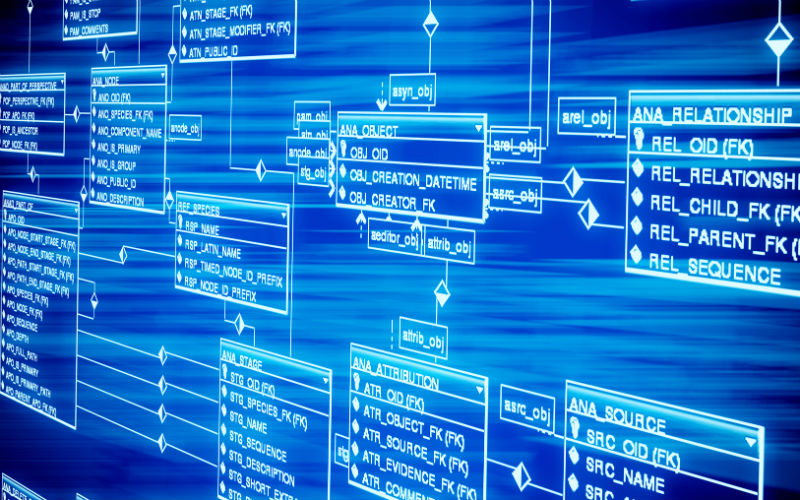
Simple databases typically consist of one file with many records consisting of one or more fields. Alternatively, a simple database might consist of a single data file as well as one or more index files. Data files can be thought of as having two types of ordering or sequencing. The physical order of a database is the actual order in which the data is stored in the file. The logical order is the order in which we might choose to access that data. The logical order needs not to be the same as the physical order. If the two types of order are not the same, however, it is necessary to have some mechanism for access the data in a physically non-sequential order. This is typically achieved using an index file. This is very similar to a book index where topics are listed alphabetically (the logical order) and the reader is referred to the page number on which each topic is found (physical order). Some books have more than one index (e.g. Author index and subject index) which refer to the single physical sequence (page numbering). Multiple indexes are also possible even on simple computer databases. For example, in a mailing list database you may have an index to names and an index to suburbs or towns.
An index is often also useful as a quick way to find things in a file even when logical and physical order are the same. This is because a complete record may contain many fields whilst an index record may only contain the indexed field and an access number. Index files are, because of this, generally much smaller than the actual data file and so much quicker to scan sequentially. Simple databases might include booklists, bibliographies, mailing lists, etc...
The files in a complex database must be linked together in some way. Such links between the files must be invisible to the user. To the user a complex database must appear to be a single integrated entity. Further, it must be possible to produce reports from many files using simple instructions. There are three common ways of linking complex databases:
Hierarchical Model
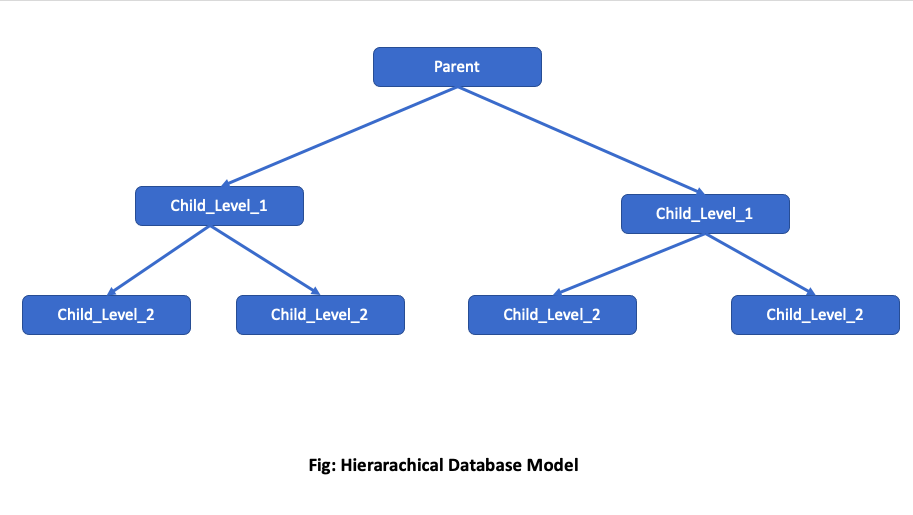
This type of database utilizes a pyramid-like structure with several levels. Files within the database can be nodes located at a particular level in the database and connected to one node in the level above and one or more nodes in the level below. A node on a level closer to the apex is the "parent" of a node connected to it on the next lower level. The lower level node is the "child" of the higher-level node that it is connected to. Each child has only one parent, each parent can have one or more children.
In a hierarchical model, data stored at a node can only be accessed at that level or at the level of its parent. Data cannot be exchanged between nodes at the same level without going through the lowest common parent (or grandparent). Such a structure is common in large organizations where data within a branch is accessible to members of that branch and to head office, but not to another branch (without a request for information via head office). Security and central control are strong motivations for this type of database structure.
Network model
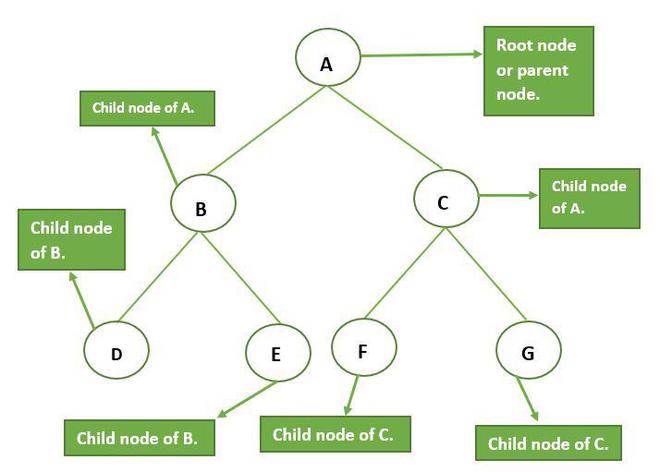
Like the hierarchical model, the network model consists of multiple levels and parent and child nodes. Unlike the hierarchical model it is not pyramidal, and not only can parent nodes have more than one child, but child nodes can have more than one parent. Information can flow in both directions much more flexibly and the various levels can interact much more freely in the network model. Nodes on various levels are much more equal than in a hierarchical model. Ready interchange of information and the facilitation of consultative processes are the main motivations behind this type of model.
Relational model
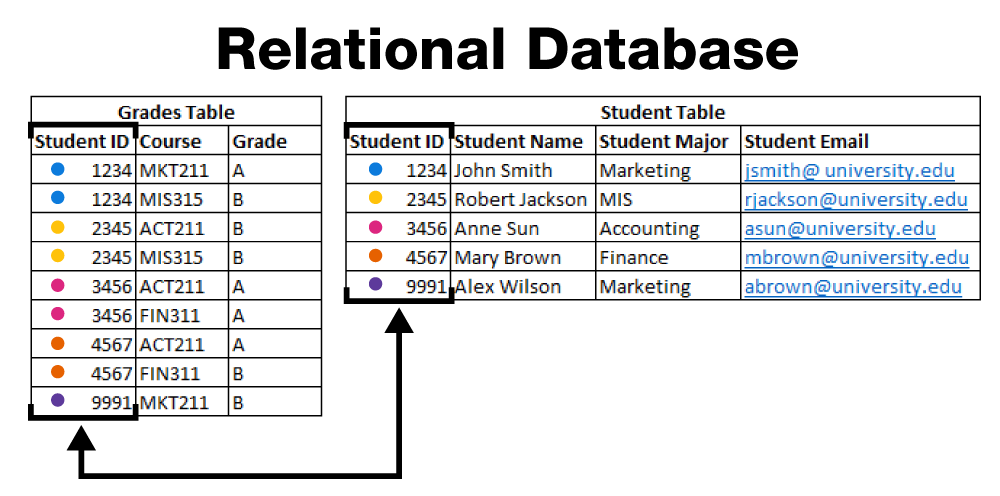
The relational model differs from the above two models in that its main emphasis is not on the control of relationships between levels of the database. It is more a method of linking various types of information into a single database. In a relational database each record of each file has at least one link field which is used to link the data in different files. The student number is a common link field in a University database. On one file a student's name, address, etc. What is will be listed along with the student number. In another file student numbers will appear against course numbers. In another file course number will appear along with details about the course. In yet another file, details of all unpaid library fines will indicate student number versus the amount owed. In the database the numbers will be defined as link fields and database is designed to allow easy access to relevant information in the various files. For example, if you are interested in a list of all students in a course you simply request such a list and the database will get the student numbers from the course list, and then use those numbers to get the student names from another file. These linkages will be transparent to the user who will only see a course list containing student names.
Шрифти
Розмір шрифта
Колір тексту
Колір тла
Кернінг шрифтів
Видимість картинок
Інтервал між літерами
Висота рядка
Виділити посилання
Вирівнювання тексту
Ширина абзацу